How to reduce your S3 storage costs
Find what's actually driving your S3 bill — storage class mix, forgotten data, duplicates — and fix it with lifecycle rules and tiering.
Where S3 cost hides
Most S3 bills aren't big because of the data you use — they're big because of the data you forgot. The usual suspects:
- •Everything sitting in STANDARD — data written once and never read again keeps paying the hot-storage rate when Infrequent Access, Glacier, or Deep Archive would cost a fraction.
- •Forgotten buckets and prefixes — old exports, logs, and one-off migration leftovers nobody has looked at in years.
- •Duplicates — the same large files uploaded to several buckets or prefixes.
- •Old versions and incomplete multipart uploads — invisible in a normal listing, billed all the same.
The hard part isn't fixing any of these — it's seeing them across millions of objects.
Step 1: see what you're paying for
- 1.Connect your account and index your buckets (how) — cost analysis needs to know what's in them.
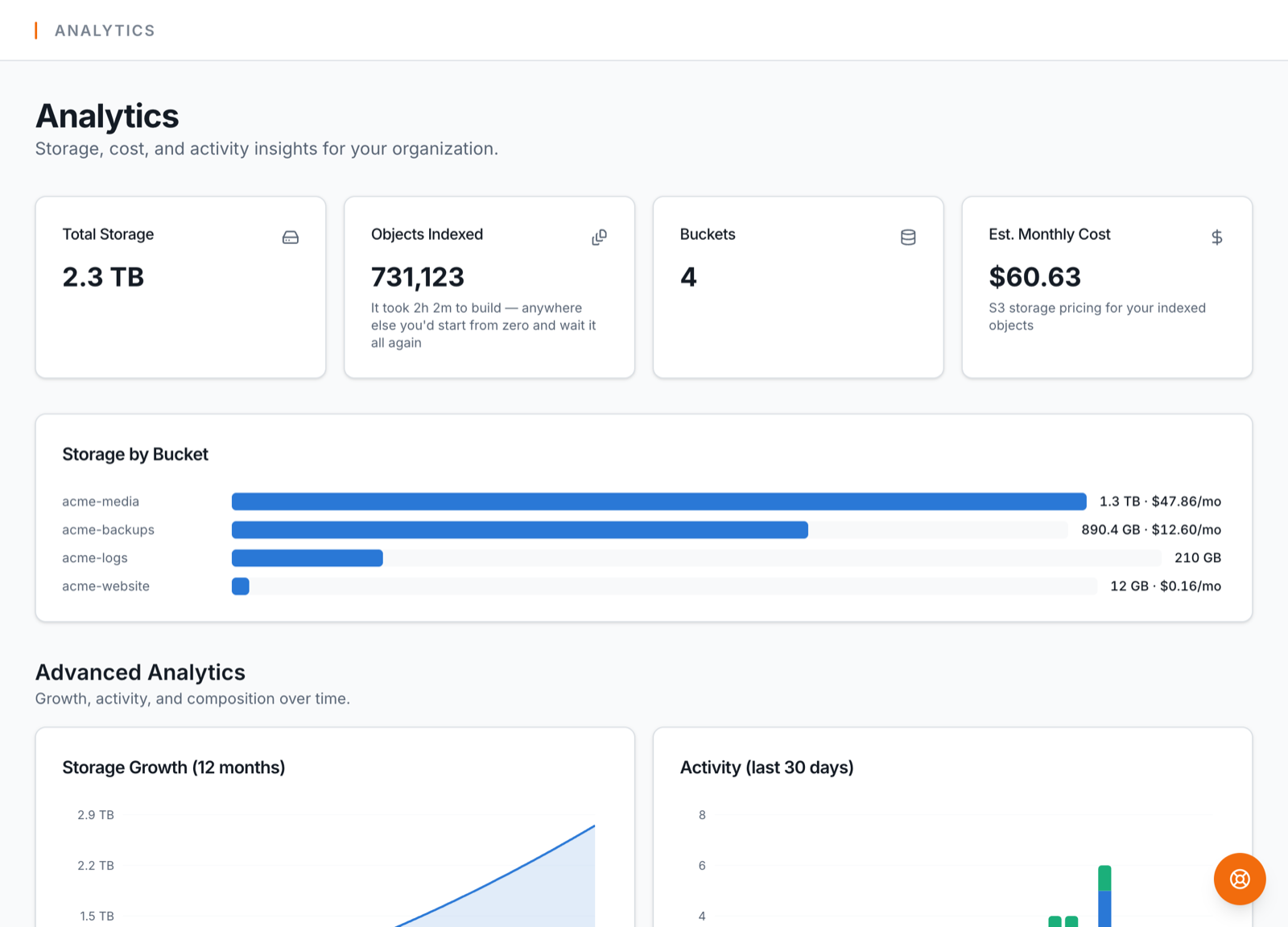
- 2.Open Analytics: storage broken down by bucket and storage class, largest objects, growth over time, and an estimated monthly cost per bucket.
- 3.Run the duplicate finder (files ≥ 1 MB) to spot the same content stored more than once.
- 4.Sort any bucket by size or last-modified to find the cold giants.
Step 2: fix it
- •Move cold data down a class — change storage class per object or folder from the bucket view (with a warning before one-way archive moves), or attach a lifecycle rule so S3 tiers objects automatically by age.
- •Delete what's truly dead — the index makes "everything under this prefix, older than X, never touched" findable.
- •De-duplicate — pick the canonical copy and delete the rest.
- •Watch it stay fixed — the weekly digest (Business) reports storage and cost movement so regressions show up in your inbox, not the invoice.
Storage class changes to GLACIER / DEEP_ARCHIVE are one-way without a restore — BucketPilot warns you first. Archive tiers also charge per-retrieval, so they fit data you rarely need, not data you never need again.