What a single region actually risks
S3 is durable inside a region, and that durability is real. What it does not cover is the region itself being unavailable to you, or a mistake that applies to everything in it.
For most teams the practical risk is not a regional outage at all — it is that the bucket, the application and the backup process all live in one place, so anything that reaches one reaches all three. Putting the copy somewhere else is the cheapest way to break that.
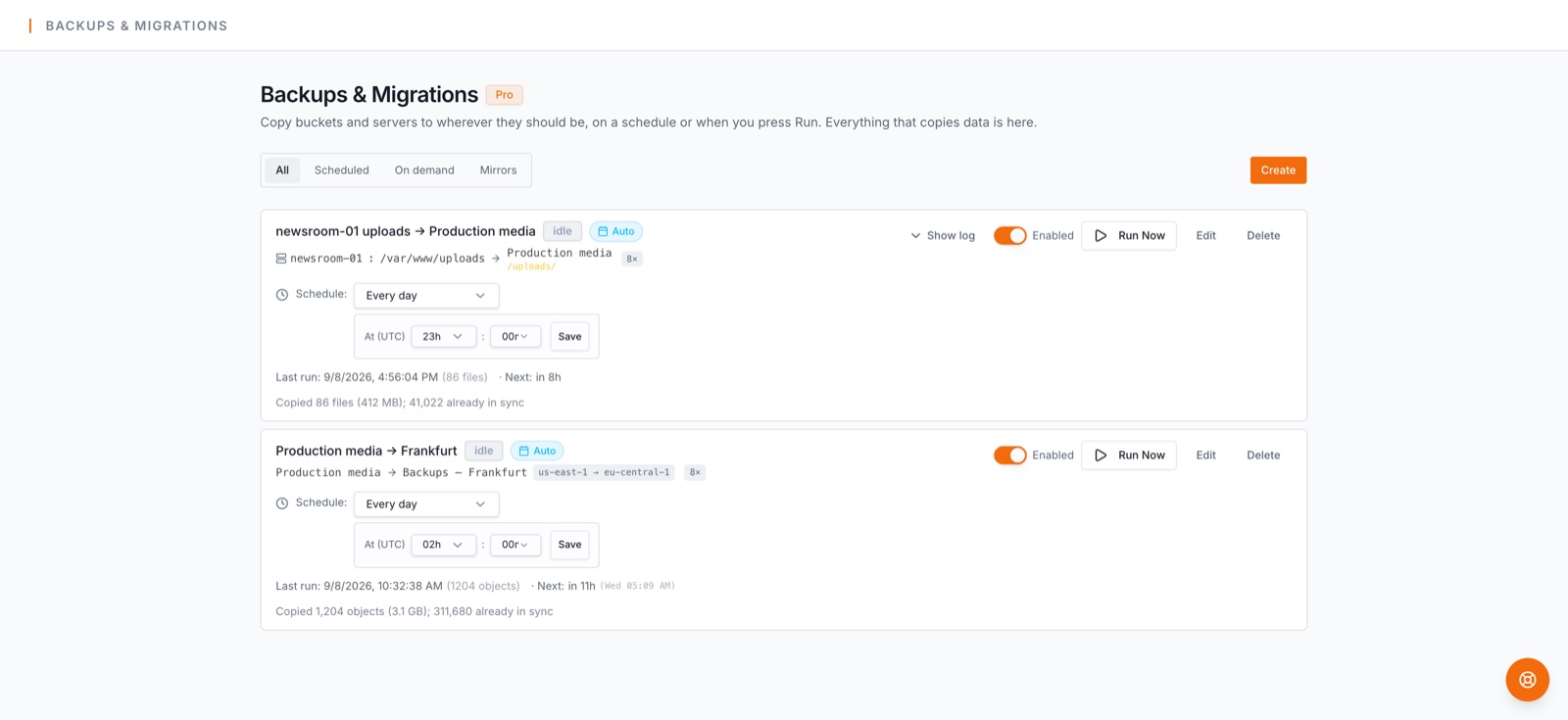
How the backup runs
- 1.Connect the AWS account — one-click least-privilege role, or a key.
- 2.Create the destination bucket in the other region, from inside the backup form if it does not exist yet, with versioning on.
- 3.Create a backup job with the source bucket and that destination.
- 4.Pick a schedule. The first run copies everything; later runs carry only what changed.
- 5.Watch backup health — the last ten runs on the card, an email when a run needs attention, a weekly digest of what is covered.
What is specific to crossing regions
- •The destination region is a deliberate choice, not a detail. Pick one far enough away to be independent of the first, and close enough to be useful when you have to read from it.
- •AWS charges for moving bytes between regions. The first run moves the whole bucket; every run after moves only the difference, which is what keeps the ongoing cost proportional to how much changes rather than to how much you store. BucketPilot does not mark that traffic up, and we do not quote AWS's rates here — they are AWS's to publish.
- •This is a backup, not replication. S3 Cross-Region Replication copies new objects continuously and mirrors deletes; a backup job runs on a schedule and never deletes at the destination. Which you want depends on one question: if someone deletes a file by mistake, should it disappear from the copy too?
- •Versioning at the destination is what makes it recoverable. With it on, an overwrite or delete at the source becomes one more version in the other region instead of a loss.
- •Restoring reads from the second region, copies back to the original bucket, never deletes, and leaves newer files in place. You can restore one folder rather than everything.
What you get
- •Incremental runs after the first pass.
- •Every version kept at the destination.
- •Per-file logs for anything that failed.
- •Backup health and alerts, including a weekly digest naming which buckets are covered.
- •Folder-level restore back into the original region.
Credentials and what is kept
One account, one least-privilege role, revocable by deleting its CloudFormation stack. Objects stream from region to region during a run and no copy of their contents is kept by BucketPilot. Runs and restores are recorded in the activity log. Full detail: Security & privacy.
When this is the right shape
- •The bucket is the only copy and it lives in one region.
- •You need to be able to read the data during a regional problem, not only after it.
- •You want a copy that survives a delete, which replication does not give you.
When it is not. If the risk you are managing is the AWS account rather than the region, put the copy in another account — or do both, which is one job each. If you need the second copy to be seconds behind rather than minutes or hours, replication is the mechanism for that.
Questions
- How is this different from S3 Cross-Region Replication?
- Replication copies new objects continuously and mirrors deletes, and AWS moves the data. A backup job runs on a schedule and never deletes at the destination, so a mistaken delete at the source is still recoverable.
- Does every run move the whole bucket between regions?
- No. Only the first run does. Later runs compare both sides and move only what changed, so the ongoing transfer is proportional to how much changes.
- Who charges for the transfer?
- AWS does, at its own published rates for inter-region traffic. BucketPilot does not add a charge on top and does not quote AWS's prices.
- Can the destination be a different account as well as a different region?
- Yes. Connect both accounts and choose a bucket in each; the two protections are independent and can be combined.
- How do I get data back?
- A restore copies from the destination back to the original bucket. It never deletes, and it leaves files that are already there untouched. One folder at a time is usually what you want.
- Which plan does this need?
- Backup jobs and cross-region work are Pro, which the 14-day trial includes. No card is needed to start.
Go deeper
Back up to a second region
Full Pro access for 14 days. No card. Connect an account in seconds.