Why a second bucket is not a second copy
A backup bucket beside the original, in the same account, protects you from exactly one thing: someone deleting the first bucket and not the second. It does not protect you from a credential that could reach both, a lifecycle rule applied at the account level, or an automation that iterates over every bucket it can see.
The blast radius of an AWS account is the whole account. A copy that survives an incident has to be somewhere the incident cannot reach, and the cheapest version of "somewhere else" is a second account whose credentials the first one does not hold.
How the backup runs
- 1.Connect both accounts. Each one is its own credential — a one-click, least-privilege CloudFormation role for each, so neither account holds keys for the other.
- 2.Turn versioning on at the destination. This is what turns a copy into a backup: an overwrite or a delete at the source becomes one more version at the destination rather than a loss.
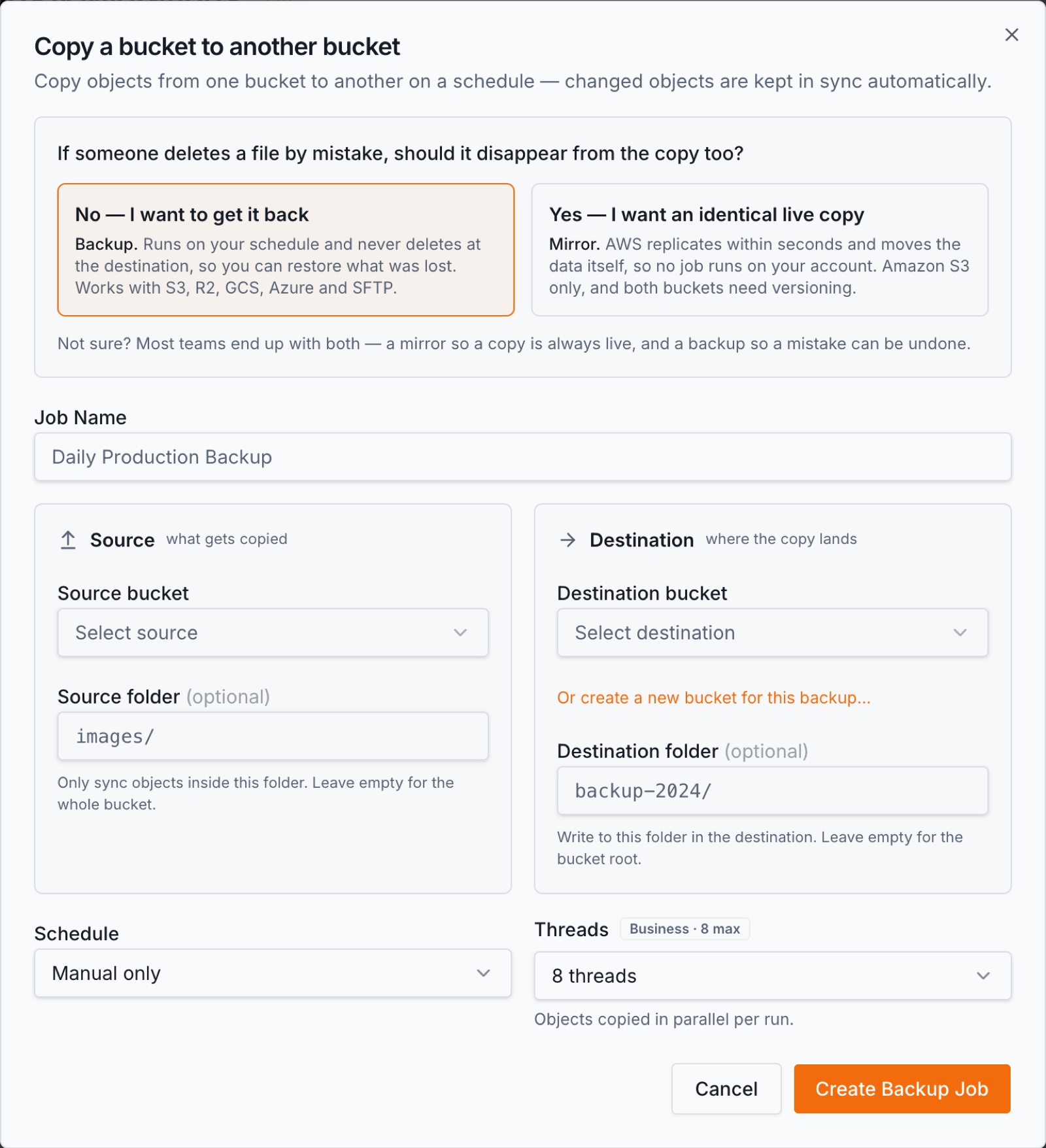
- 3.Create a backup job with the source bucket in account A and the destination in account B.
- 4.Pick a schedule — hourly, daily, weekly or monthly. The first run copies everything; every later run copies only what changed.
- 5.Check backup health. The last ten runs sit on the bucket card, a failed run emails you, and a Monday digest says which buckets are covered.
What is specific to crossing accounts
- •Two credentials, not one role that can reach both. Each account is connected separately, so compromising one does not hand over the other. That is the entire point of the arrangement, and it is worth not undoing it for convenience.
- •Least privilege on each side. The one-click role is a CloudFormation stack with a scoped policy and a unique ExternalId, assumed by BucketPilot. Deleting the stack revokes access immediately, in that account only.
- •This is a backup, not replication. AWS's own cross-account replication copies each new object within seconds and mirrors what happens at the source — including a delete. A backup job runs on a schedule and never removes anything at the destination. If you want the live mirror instead, that is cross-account replication, and it is a different tool for a different question.
- •Restore goes back the other way, carefully. A restore copies from the backup to the original bucket, never deletes, and leaves files that are already there untouched, so a newer file is never replaced by an older copy. You can restore one folder rather than the whole bucket.
- •Verify & repair re-scans the destination and re-copies anything missing or different, for when something changed at the destination and you want it made whole.
What you get
- •Incremental every run after the first, compared object by object.
- •Every version kept at the destination, so an overwrite at the source is recoverable rather than propagated.
- •Per-file logs naming what failed.
- •Backup health on the bucket card, an email when a run needs attention, and a weekly digest.
- •Folder-level restore, which is usually what you need and finishes far sooner than a whole bucket.
Credentials and what is kept
Each account is connected with its own least-privilege role and its own ExternalId; revoking one does not touch the other. Credentials are stored encrypted, and BucketPilot keeps no copy of your object contents — a run streams from source to destination.
Every run, restore and credential change lands in the workspace activity log, which exports as CSV on Business. Full detail: Security & privacy.
When this is the right shape
- •The production account is the one you are protecting against, not just hardware failure.
- •An auditor has asked where the second copy lives and who can reach it.
- •You want deletes at the source to be survivable, which same-account replication does not give you.
When it is not. If you need the second copy to be identical within seconds, including deletions, that is replication and not this. If your concern is a whole region rather than a whole account, cross-region backup is the closer fit — and the two can be combined.
Questions
- How is this different from cross-account replication?
- Replication mirrors the source continuously, deletions included, and AWS moves the data. A backup job runs on a schedule and never removes anything at the destination, so a delete at the source leaves the copy intact.
- Does either account need credentials for the other?
- No. Each is connected to BucketPilot separately with its own least-privilege role, which is what keeps the two blast radii apart.
- What does a restore do to files that already exist?
- It leaves them alone. A restore never deletes and never replaces a file that is already there, so a newer version cannot be overwritten by an older copy.
- Can I restore a single folder?
- Yes, and it is usually what you want. A folder restore finishes far sooner than a whole bucket.
- What if something is deleted at the destination by mistake?
- Verify & repair re-scans the destination and re-copies whatever is missing or different, then rebuilds its record so ordinary runs are fast again.
- Does the first run copy everything?
- Yes, once. Every run after that compares both sides and copies only what is new or changed.
- Which plan does this need?
- Backup jobs and cross-account work are Pro, which the 14-day trial includes in full. No card is needed to start.
Go deeper
Back up my AWS account
Full Pro access for 14 days. No card. Connect an account in seconds.