Why back up Amazon S3 to BucketPilot Cloud
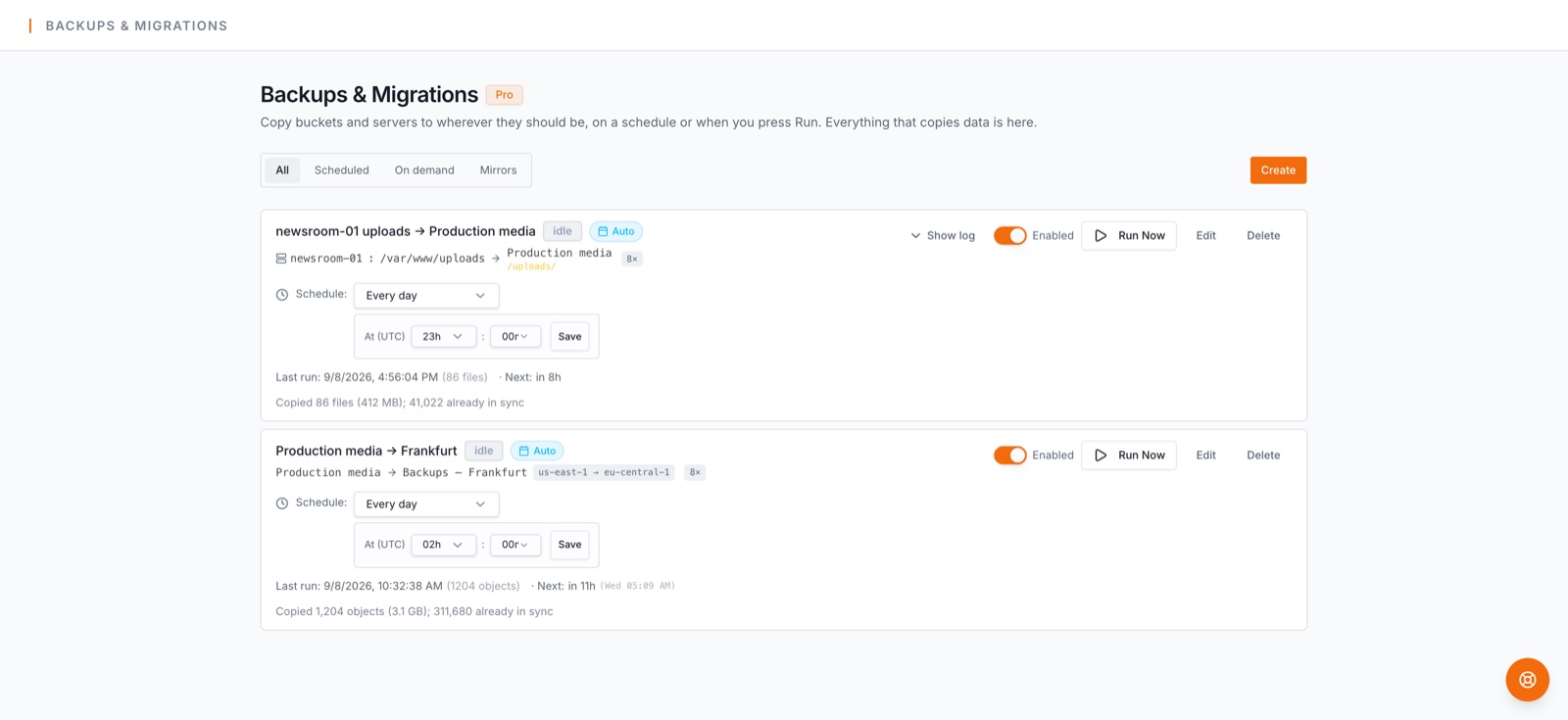
Amazon S3 is durable, but durable is not backed up: a deletion, an overwrite, a bad script or a lost credential all replicate perfectly. A backup is a separate copy — on BucketPilot Cloud — refreshed on a schedule and restorable from. That is what this job is.
Before you start
This job runs on the Pro plan and up. Every account starts with a 14-day Pro trial — no card needed; see plans.
Step by step
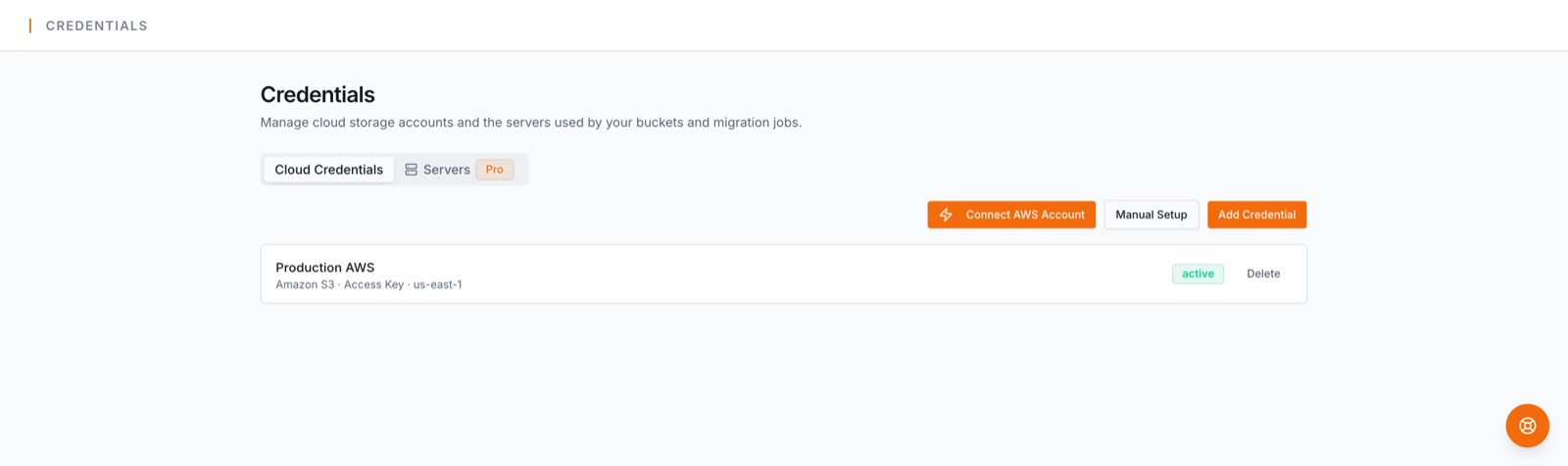
- 1.Connect the source. Connect the AWS account with a one-click CloudFormation role you can revoke any time, or an access key with the minimal policy we publish. Then import the bucket under Buckets & Servers → Discover buckets, or create one there.
- 2.Connect the destination. Nothing to connect. Under Buckets & Servers → Create Bucket, choose BucketPilot Cloud, pick a region (US, Europe or Asia Pacific) and a name, and the bucket exists in a minute — inside your workspace, with no keys to keep.
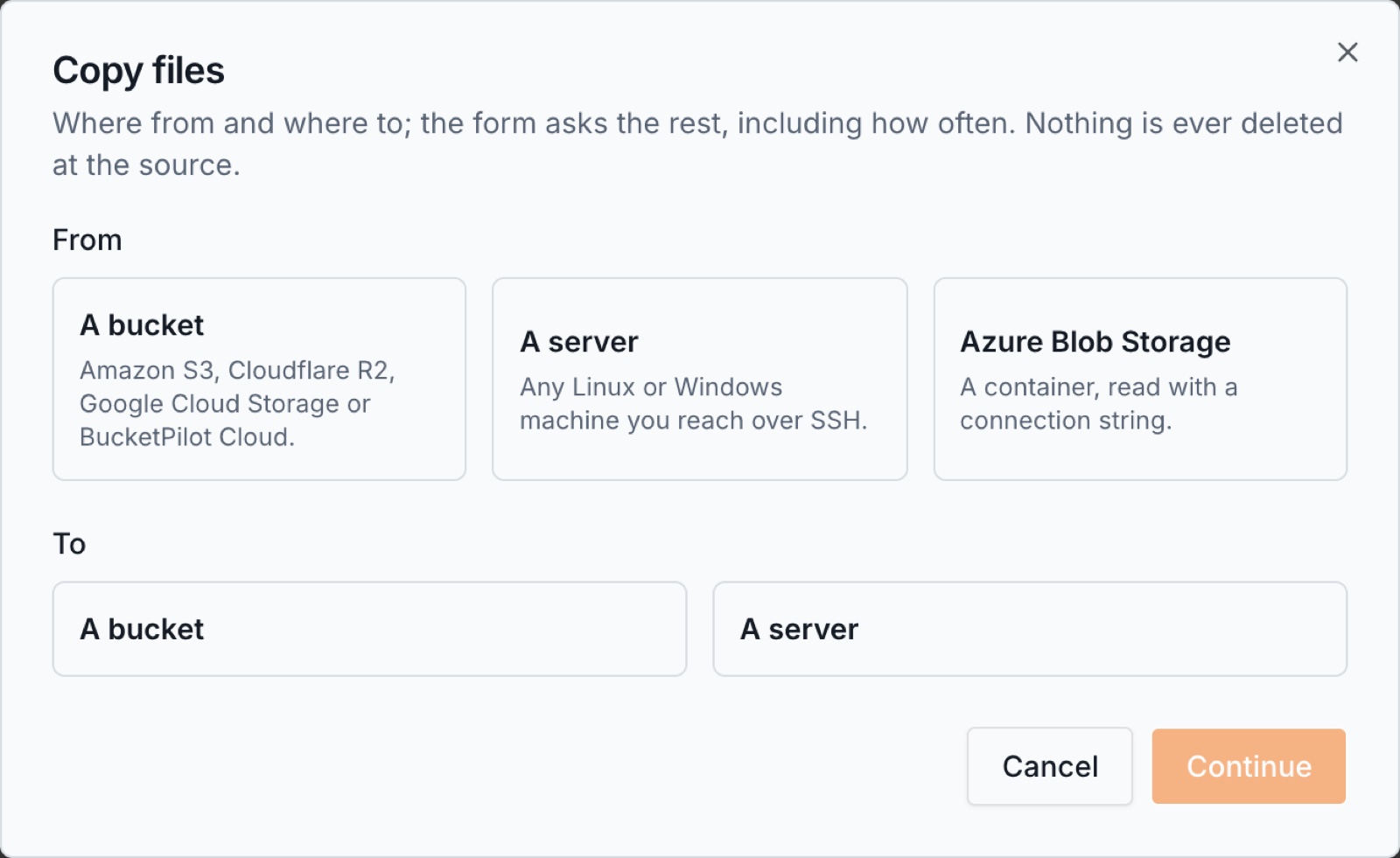
- 3.Open Backups & Migrations and press Create. Choose A bucket as the source and A bucket as the destination, then Continue.
- 1.The form asks one question first: *if someone deletes a file by mistake, should it disappear from the copy too?* Answer No for a backup that keeps everything. (Yes sets up a mirror — an identical live copy kept by AWS itself, Amazon S3 to Amazon S3 only, with versioning on both buckets.)
- 2.Pick the source bucket and the destination bucket, and a folder inside each if you want only part of it. Need a fresh destination? Create a new bucket right there — it is used as the destination the moment it exists, versioned if it is for a mirror.
- 3.Set the schedule — hourly, daily, weekly or monthly, at the time you choose. Daily at night is the usual answer.
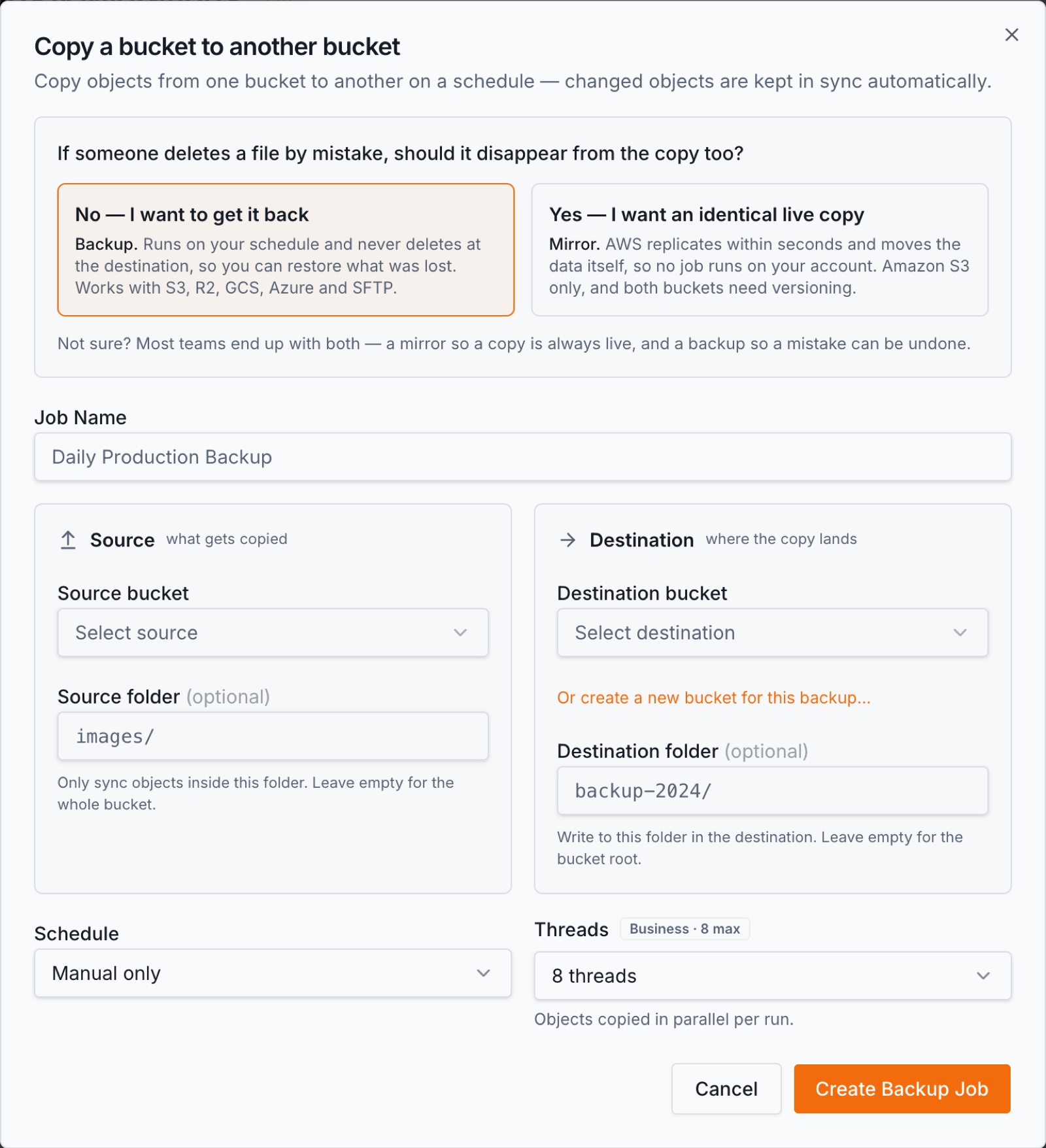
- 1.Press Create Job. Press Run now for a first pass, or wait for the schedule.
What happens on each run
Every run is incremental: a file is copied only if its size or timestamp differs from the copy, so a nightly run of a large source moves only the day's changes and finishes in minutes.
When both ends are on the same provider the copy happens server-side and the bytes never leave that provider; between providers, BucketPilot streams each file through, without keeping it.
You can watch it: live progress on the job, a per-file log, and an email when a run finishes or needs attention. Transient errors retry with backoff; a run that fails outright is reported, never silently skipped.
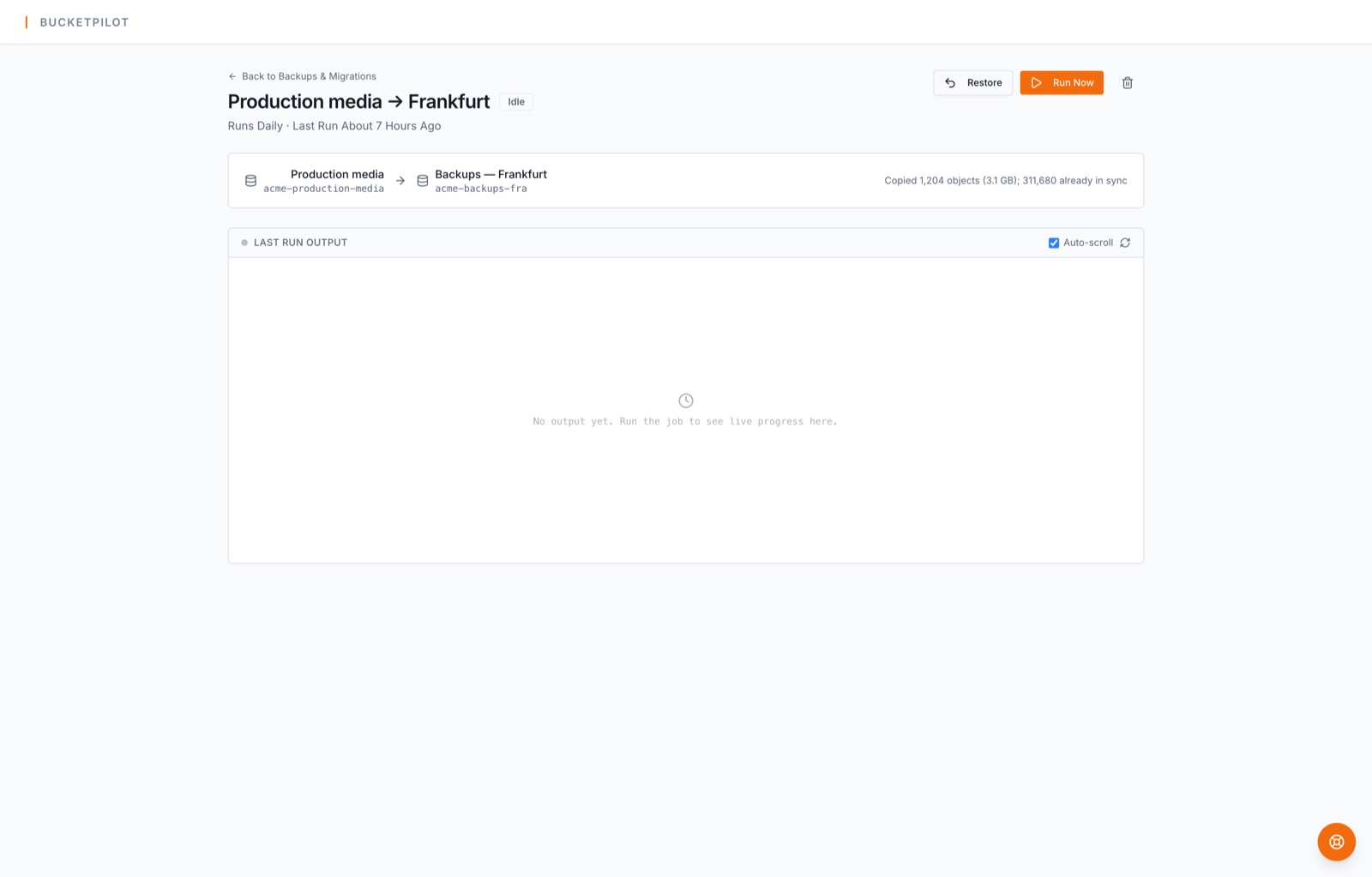
BucketPilot Cloud keeps every version of a file when versioning is on, and BucketPilot turns it on for a bucket it creates for a backup. A file overwritten or deleted by mistake at the source is still there in the copy, one click from restored.
What it costs
| Leaving Amazon S3 | AWS charges for data leaving S3 (after the first 100 GB a month, roughly $0.09 per GB, less at volume). Data staying inside the same region is free. |
| Storing at BucketPilot Cloud | BucketPilot Cloud is billed per GB-month on your BucketPilot invoice; every file counts as at least 4 KiB. |
| BucketPilot | Your plan; no per-GB fee for the copy itself. |
Getting files back
Every job has a Restore button: it copies from the destination back to the source, only what is missing there, never overwriting a newer file and never deleting anything. A backup you cannot restore from is not a backup, so this is part of the job, not a separate product.
Questions
- How often should I back up Amazon S3?
- Daily is the usual answer; hourly if the source changes all day. Runs are incremental, so a more frequent schedule costs little more than a rare one.
- What will it cost?
- AWS charges for data leaving S3 (after the first 100 GB a month, roughly $0.09 per GB, less at volume). Data staying inside the same region is free. BucketPilot Cloud is billed per GB-month on your BucketPilot invoice; every file counts as at least 4 KiB. BucketPilot charges by plan, never per GB copied.
- What about very large files?
- Objects are copied in parts and a run resumes where it stopped. Single objects up to 5 GB copy as one object; larger ones are copied part by part by the provider.
- Does BucketPilot keep my files?
- No. Your files are copied from your source to your destination and are not stored by BucketPilot. We keep metadata — names, sizes, timestamps — to run the job and to make the copy searchable. Credentials are encrypted at rest.
Related
- Docs: backup s3 bucket
- Docs: jobs
- How to back up Amazon S3 to Cloudflare R2
- How to back up Amazon S3 to Google Cloud Storage
- How to back up Cloudflare R2 to BucketPilot Cloud
- How to back up Google Cloud Storage to BucketPilot Cloud
- How to back up BucketPilot Cloud to another BucketPilot Cloud bucket
- How to back up a Linux server to BucketPilot Cloud
Set up back up amazon s3 to bucketpilot cloud today
Full Pro access for 14 days. No card. Connect an account in seconds.