Why Windows is the fiddly one
A Windows file server holds a decade of folders that nobody has audited, some of them with paths longer than the tools that will read them. The usual approaches are a scheduled script that nobody owns, or a desktop S3 client that somebody runs by hand and forgets to run again.
Both leave the same question open: which files actually made it? A copy that reports "completed with errors" over 400,000 files is not an answer, and re-running it from the beginning to find out costs another full read of the share.
How the migration runs
- 1.Turn on OpenSSH Server on the Windows machine — it is an optional Windows feature, and this is the step that catches almost everyone. See Connecting your own server for the four PowerShell commands.
- 2.Add the server under Credentials → Servers, and press Test Connection. BucketPilot detects that it is Windows on the first successful connection and applies Windows path rules from then on.
- 3.Connect the AWS account and pick the destination bucket.
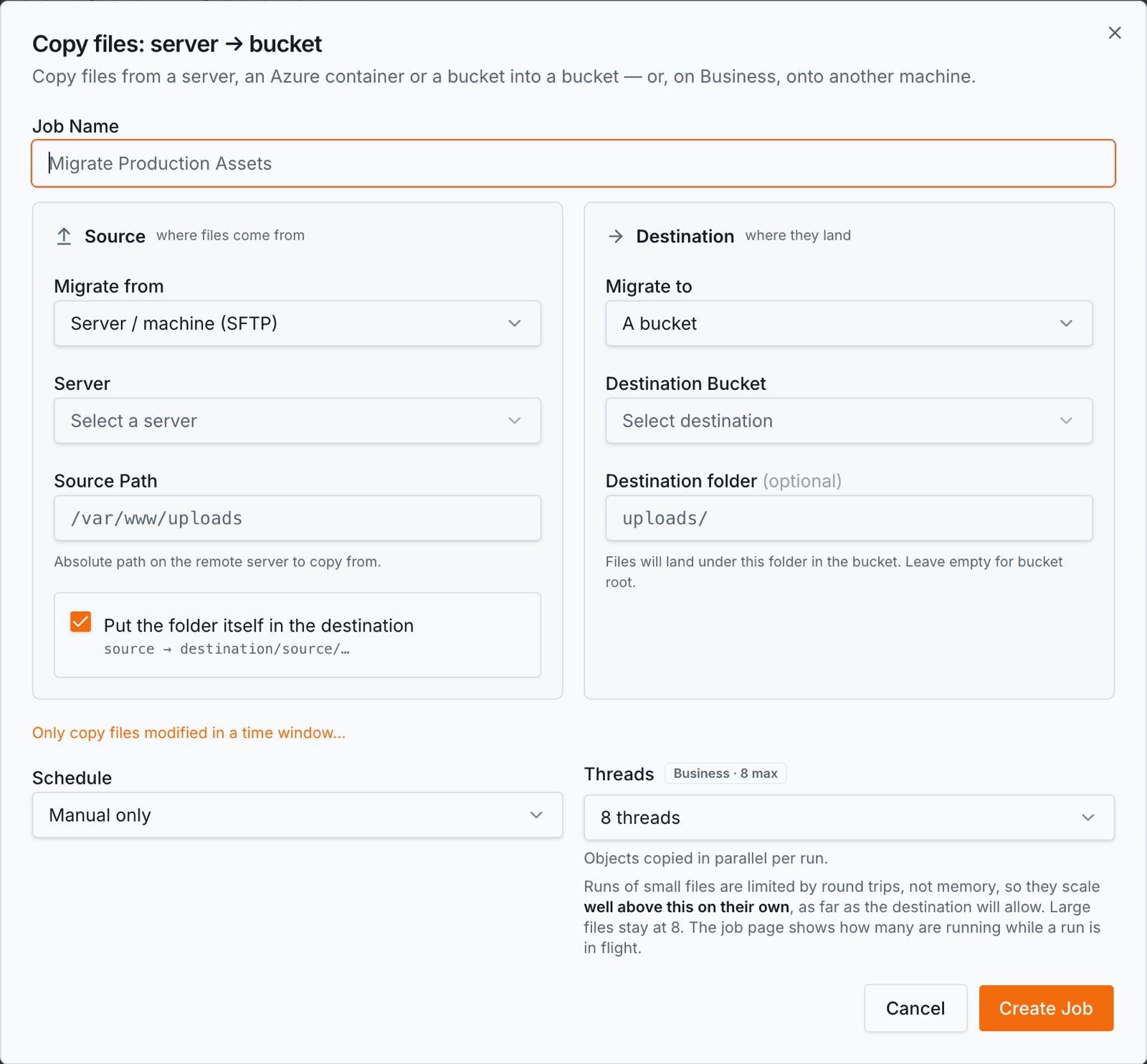
- 4.Create a migration job with the server path as the source. The first run walks the tree and copies it; a run that dies is resumed rather than restarted.
- 5.Re-run until cutover. Later runs copy only what changed since the last one, so the final pass before you retire the share is short.
Windows-specific details that matter
- •OpenSSH Server is not installed by default. A healthy machine that has never had it enabled looks exactly like one that is switched off: the connection gets no answer. If a test times out, rule this out first.
- •An administrator's key does not live in that account's .ssh folder. OpenSSH on Windows reads one shared file for every account in the Administrators group, and silently ignores the per-user file. The key belongs in C:\ProgramData\ssh\administrators_authorized_keys — a key in the wrong place authenticates for nobody and produces no error anywhere.
- •Paths are written /C:/like/this throughout BucketPilot, because that is the form Windows' own SSH server prints and accepts. Type a backslash path and it is stored in that canonical form.
- •The platform is detected, not chosen. There is no operating-system dropdown; on the first successful connection the machine is asked to resolve its own working directory, and the answer decides how every path on it is separated and compared. A wrong dropdown would apply the wrong rules silently.
- •Large files are sent in parts, so a single big export does not have to succeed in one request.
- •One address to allow through the firewall. Every connection BucketPilot makes to a server comes from 3.111.107.194, so you can open your SSH port to that one address rather than to the internet.
What you get while it runs
- •No agent. Nothing is installed on the server; the connection is SSH and you can revoke it by removing the key.
- •Incremental reruns — the second and later passes carry only what changed.
- •A log per file, so "which files did not make it" has a list rather than a count.
- •Retries and resume on transient errors and on a worker that dies mid-run.
- •A schedule — hourly, daily, weekly or monthly, so the share stays in step with the bucket until you cut over.
Access and what is kept
BucketPilot connects over SSH with a key you install and can remove. Host keys are verified on first use on the Pro plan and above. Files stream from the server to the bucket during a run and no copy of their contents is kept here.
Adding and testing a server is not plan-gated; using one as a migration source is Pro, which the trial includes. Full detail: Security & privacy.
When this is the right move
- •You are retiring a file server and the data has to live in S3 afterwards.
- •You want the share and the bucket in step for a few weeks before the switch.
- •You want an auditable record of which files moved, rather than a copy tool's summary.
When it is not. If you want files to keep arriving on the server and being copied for ever, that is a scheduled backup rather than a migration — the same job, run on a schedule, and the distinction matters when someone deletes a file and expects the bucket to keep it. If you need to pull a bucket back *down* onto a Windows machine, that direction is a Business feature.
Questions
- Do I have to install anything on the server?
- No. BucketPilot connects over SSH, so the only requirement is that OpenSSH Server is enabled and reachable. Nothing runs on the machine between jobs.
- My connection test times out. What is wrong?
- Almost always that OpenSSH Server is not installed — it is an optional Windows feature. A refused connection instead means the machine is reachable and the service is stopped or missing, which is the same fix.
- Why is my key being ignored for an administrator account?
- Windows OpenSSH reads C:\ProgramData\ssh\administrators_authorized_keys for everyone in the Administrators group and ignores the per-user file. Put the key there, with permissions granting only Administrators and SYSTEM.
- How are Windows paths written?
- As /C:/like/this, which is what Windows' own SSH server prints and accepts. You can type a backslash path and it is stored in that form.
- What happens to files larger than a few gigabytes?
- They are sent in parts rather than as one request, so a large file does not depend on a single transfer succeeding end to end.
- Can I migrate one folder rather than the whole server?
- Yes. The job takes a source path, so you can move one share, confirm it, and widen the job afterwards.
- Does anything get deleted from the server?
- No. A migration copies; it never removes anything from the source.
Go deeper
Migrate my Windows server
Full Pro access for 14 days. No card. Connect an account in seconds.