Where the money hides
A storage bill has three quiet lines nobody looks at: files that have not changed in months and still sit on the most expensive class, old versions of files that versioning keeps forever and bills at full price, and the same file stored twice — or six thousand times — under different names.
None of those show up in a provider's console. BucketPilot indexes every bucket you connect, tens of millions of objects at a time, and the Savings Finder turns the index into three findings with a dollar figure on each.
Cold data on the wrong class
Objects untouched for 90 days are counted per bucket, and the card prices the move to each colder class — Infrequent Access, Glacier Instant Retrieval, Deep Archive — against how often you would need the files back. Choose one and a lifecycle rule does the rest, on the buckets you pick, reversibly.
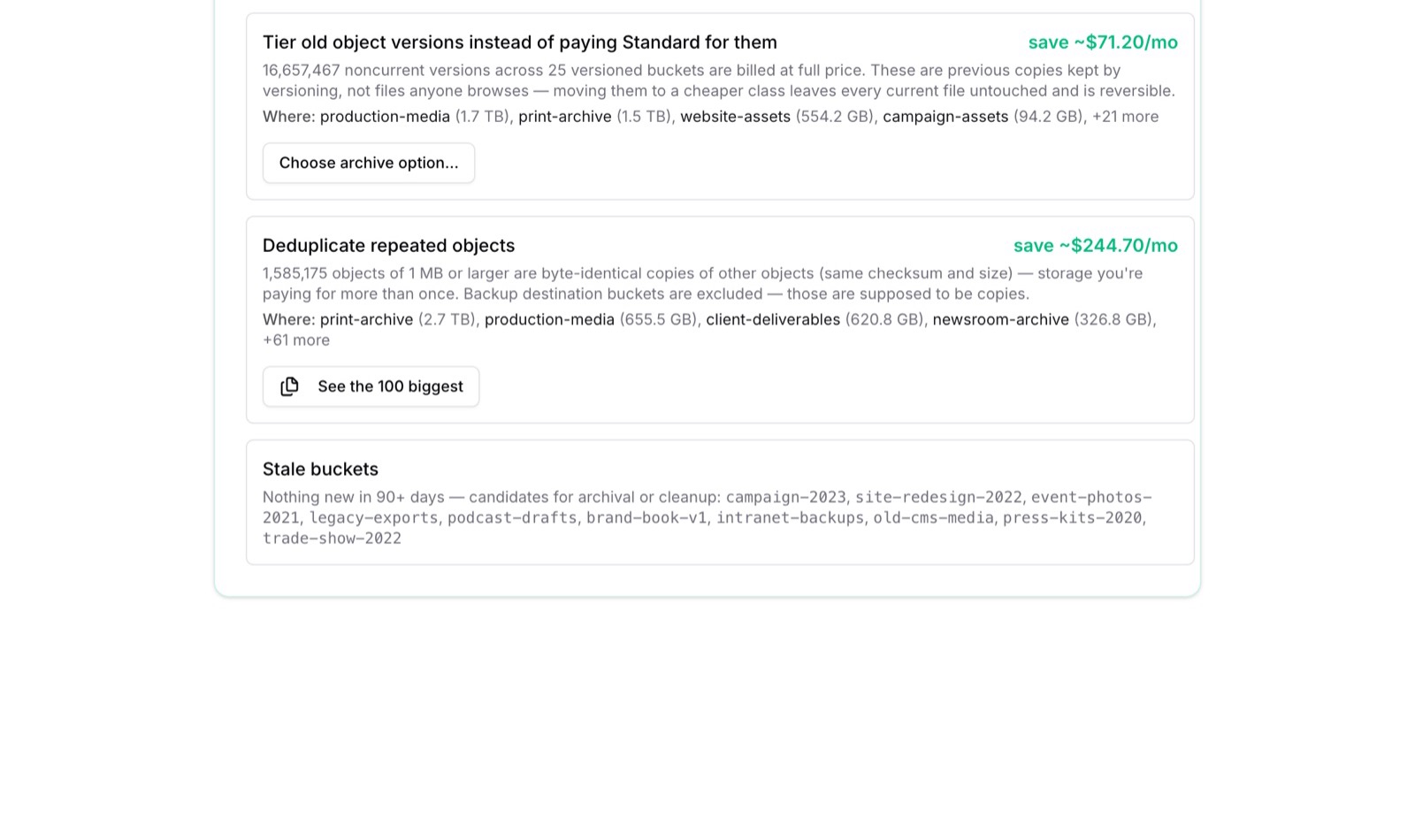
Old versions billed at full price
Versioning is the right setting for anything you would want back. It also keeps every previous copy at Standard price until something says otherwise. The finder counts those noncurrent versions across your versioned buckets and prices moving them to a cheaper class — every current file untouched.
Files you are paying for twice
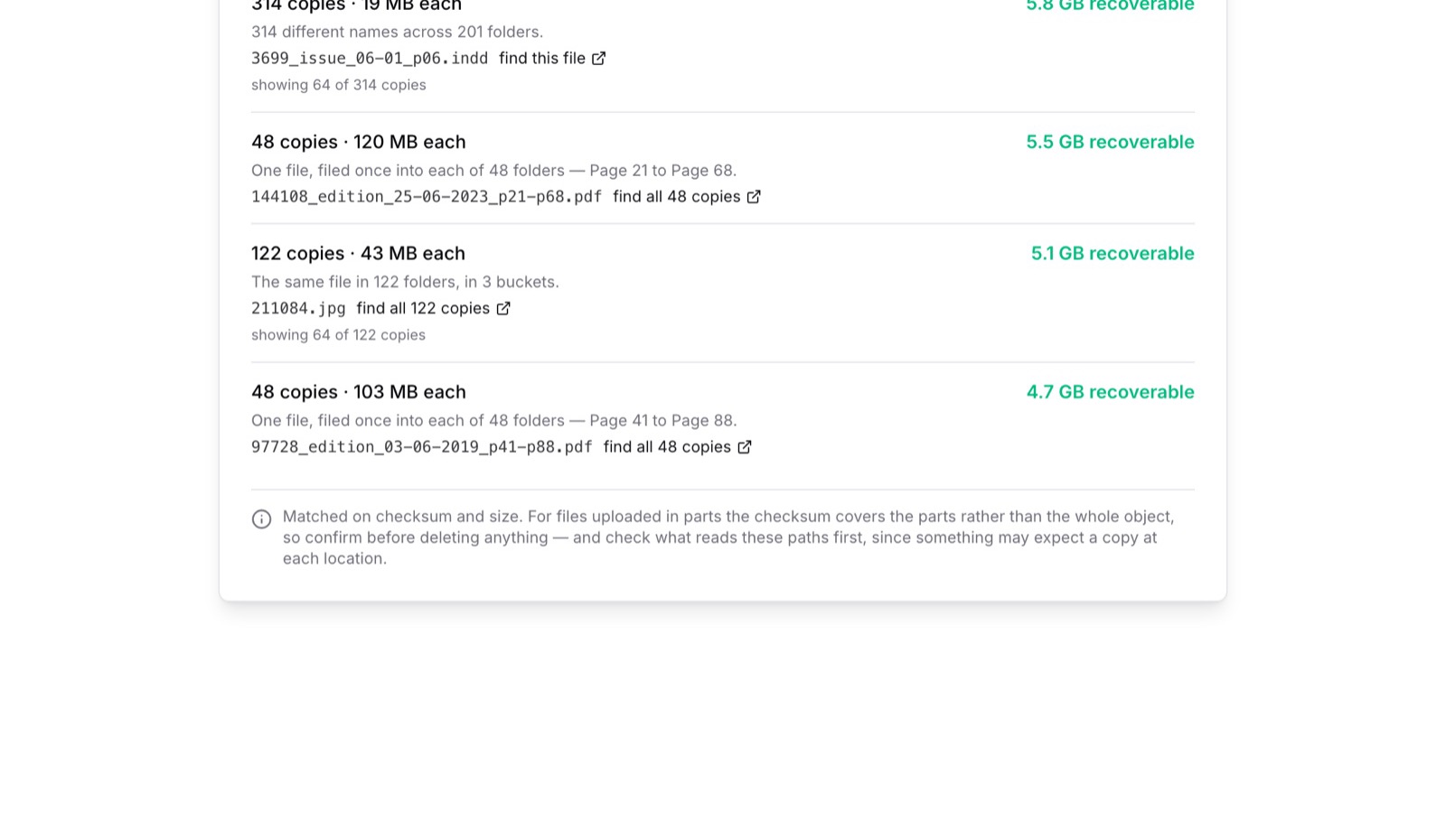
Objects are matched on checksum and size, not on name, so a file saved into forty-eight campaign folders under forty-eight names is found. The finder lists the hundred groups wasting the most, what each is, where the copies live, and a link that finds every copy — because something may expect a file at each location, and that is for you to decide.
Buckets nobody has touched
A bucket with nothing new in 90 days is listed by name — candidates for archival or removal. Often it is a campaign that ended two years ago and is still billed every month.
How to start
- 1.Connect a cloud account under Credentials — a one-click role or a key.
- 2.Import the buckets under Buckets & Servers and press Index bucket; a few million objects take minutes.
- 3.Open Analytics. The Savings Finder is on the right, with the total at the top.
The card is on the Business plan. Every account starts with a 14-day Pro trial, and the trial shows the headline figure — what the finder would save — before you decide.
Questions
- Does it change anything on its own?
- No. Every finding is a recommendation with a button. Archiving applies a lifecycle rule you choose to the buckets you choose; duplicates are listed with links, and deleting is yours to do.
- How accurate is the dollar figure?
- It is computed from your real objects on the region's published storage prices, per size band, never from an average. It is an estimate of storage cost only — retrieval and request charges are not included.
- What counts as a duplicate?
- Two objects with the same checksum and the same size, one megabyte or larger. Backup destination buckets are excluded, because copies are the point of those.
- Which clouds does it work on?
- Amazon S3 in full. Cloudflare R2 and Google Cloud Storage buckets are indexed and deduplicated; storage-class recommendations are priced for Amazon S3.
Start with a guide
See it on your own buckets
Full Pro access for 14 days. No card. Connect an account in seconds.