The problem
Scanners and copiers are the oldest file source in the building and the least flexible: most of them can save to a network folder, and almost none of them can talk to cloud storage. So the scans land on a file server, sit there, and become somebody's job to move: invoices, signed contracts, delivery notes, forms.
The usual fix is a script on that server with an access key in it. It works until the key rotates, the script fails quietly, or the disk fills up with scans nobody moved.
How it works
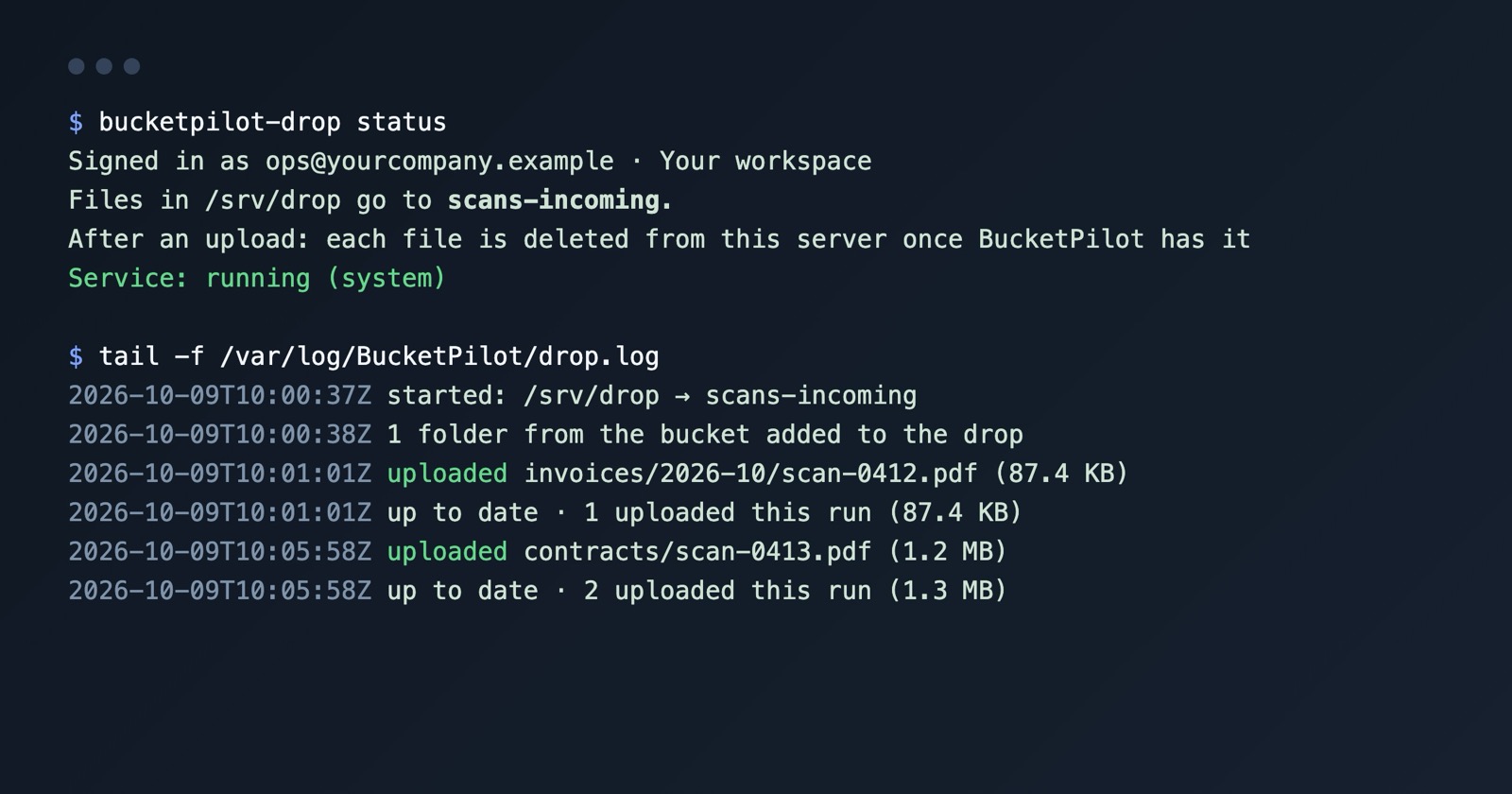
The scanner is not touched. Whatever your device already does — save to a shared folder on a server — keeps working. On that server, bucketpilot-drop watches the folder and uploads each file as it arrives.
- •The folder structure is the bucket structure. Scan into
invoices/2026-10/and the file lands underinvoices/2026-10/in the bucket, so the way your scanner already names and sorts things is how your bucket is organised. - •No half-scans. A file is uploaded only once it has stopped being written, so a long multi-page scan is never sent unfinished.
- •The server stays tidy. Each scan is removed from the server once BucketPilot has confirmed it; a failed upload never removes anything. Compliance rule that says keep the originals?
--after-upload keepleaves them in place. - •A record of every file.
/var/log/BucketPilot/drop.loglists every scan that went up and every failure with its reason, and the server shows as a device under Settings → Connected devices. - •Nothing to leave open. The server only makes outbound HTTPS connections; nothing needs to be reachable from outside.
How to start
- 1.Make sure the scanner saves into a folder on a Linux server — the share you already have is fine.
- 2.On that server, install the program and connect it to a bucket and a prefix:
curl -fsSL https://packages.bucketpilot.io/install.sh | sudo sh -s -- --server
bucketpilot-drop login
bucketpilot-drop connect <bucket> --folder /srv/scans --prefix scans/- 1.Scan a page. It appears in the bucket within seconds, and a log line says so.
Setup details and every option are in the BucketPilot Drop docs. This page is one case of a general tool — see upload a Linux folder to S3 automatically for the whole picture.
Once the scans are in the bucket
They are ordinary objects: searchable once the bucket is indexed, covered by whatever backup job you set on it, and available to everyone you have given access to the bucket. Keeping the server out of the retention story is the point — what you keep, for how long and who can see it are decisions made on the bucket, in one place, rather than on a file server nobody audits.
Questions
- Do I have to change anything on the scanner?
- No. It keeps saving to the folder it saves to today. BucketPilot Drop runs on the server that holds that folder.
- Does it need the scanner to speak S3?
- No — that is the point. The scanner writes to a folder; the program on the server does the uploading.
- What if the internet is down?
- Files stay in the folder, the failed uploads are retried, and they go up once the connection is back. The log shows what is waiting.
- Are the originals removed from the server?
- By default each file is removed once BucketPilot has confirmed it. Use --after-upload keep to keep them.
- Does it work with a scanner that saves over FTP or SMB?
- It works with whatever puts the files in the folder: the program reads the folder on the server, not the protocol that wrote to it.
Go deeper
Start free for 14 days
Full Pro access for 14 days. No card. Connect an account in seconds.