When the agent goes away
Backup products come and go, and when one does you are left with servers full of files and a renewal notice. The alternative is usually a script — rsync to somewhere, cron, and hope — that nobody watches and nobody can restore from under pressure.
BucketPilot connects to the server over SSH, copies the folders you choose to a bucket on a schedule, and gives you a Restore button. No agent to install, nothing running on the machine.
How it works
- 1.Add the server under Credentials → Servers: host, user, key or password. BucketPilot connects from one fixed address, so the firewall opens to exactly that.
- 2.Pick where the copies go: a bucket in your own cloud account, or BucketPilot Cloud, which you create in a minute with nothing to set up.
- 3.Create the job: Backups & Migrations → Create → from a server, to a bucket, the folder to copy, and the schedule.
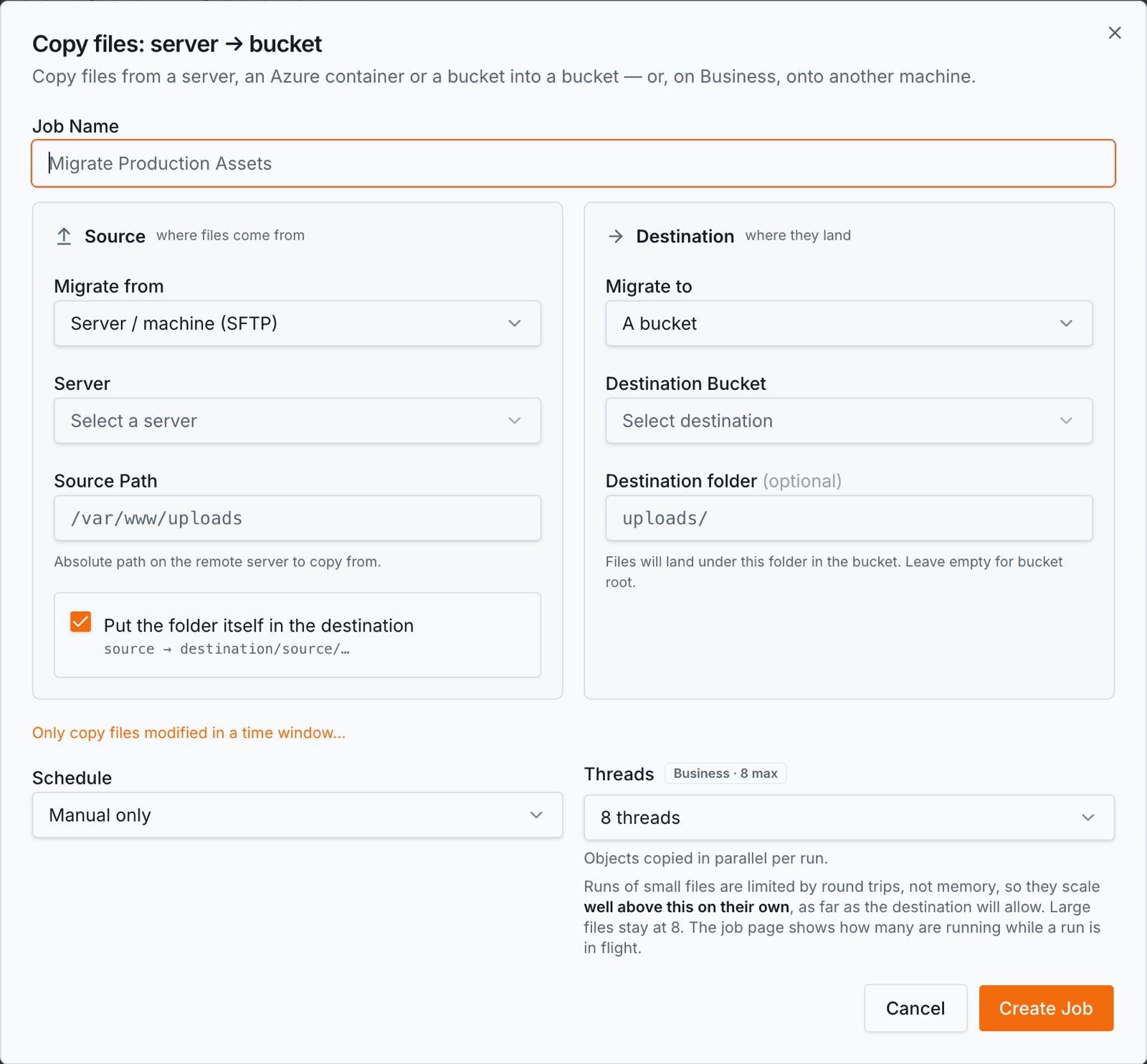
Every run is incremental: only files whose size or timestamp changed are copied, so a nightly run of a large server finishes in minutes. Files are streamed, resume after an interruption, and a run that needs attention says so by email.
Restoring
The job's Restore button copies from the bucket back to the server — only what is missing, never overwriting a newer file, never deleting anything. Restore one folder or the whole tree; the run log shows exactly which files came back.
Windows servers too
Turn on the OpenSSH server that ships with Windows, add the machine, and back it up the same way, paths written the Windows way. The server appears beside your buckets, browsable and searchable.
What it costs
Your BucketPilot plan, plus the storage at the destination. BucketPilot Cloud has no download, request or transfer fees, so a restore costs nothing extra; a bucket in your own account costs whatever that provider charges. BucketPilot never charges per gigabyte copied.
Questions
- Does anything run on the server?
- No. BucketPilot connects over SSH like a person would, reads the folders you chose, and leaves. There is no agent to install, update or renew.
- How is this different from rsync on a cron?
- The same idea, run for you: a schedule you can see, incremental copies that resume, a log per run, an email when something fails, and a Restore button. Nothing to host and nothing to remember to check.
- Can I keep the old copies?
- A backup never deletes at the destination, and a versioned bucket keeps every version of a file that changed. Lifecycle rules on the bucket decide how long old versions live.
Start with a guide
See it on your own buckets
Full Pro access for 14 days. No card. Connect an account in seconds.