The host you do not own
SFTP is where files arrive from other people: a vendor drop, a partner's nightly export, a scanner that has been writing to the same directory since 2014. You have a username, a directory, and no ability to install anything or change how the far end behaves.
That shapes the problem. The link drops halfway through a large file. The host allows fewer simultaneous connections than you expected and starts refusing them. Somebody asks which of last Tuesday's files actually arrived, and the honest answer is that nobody kept a record.
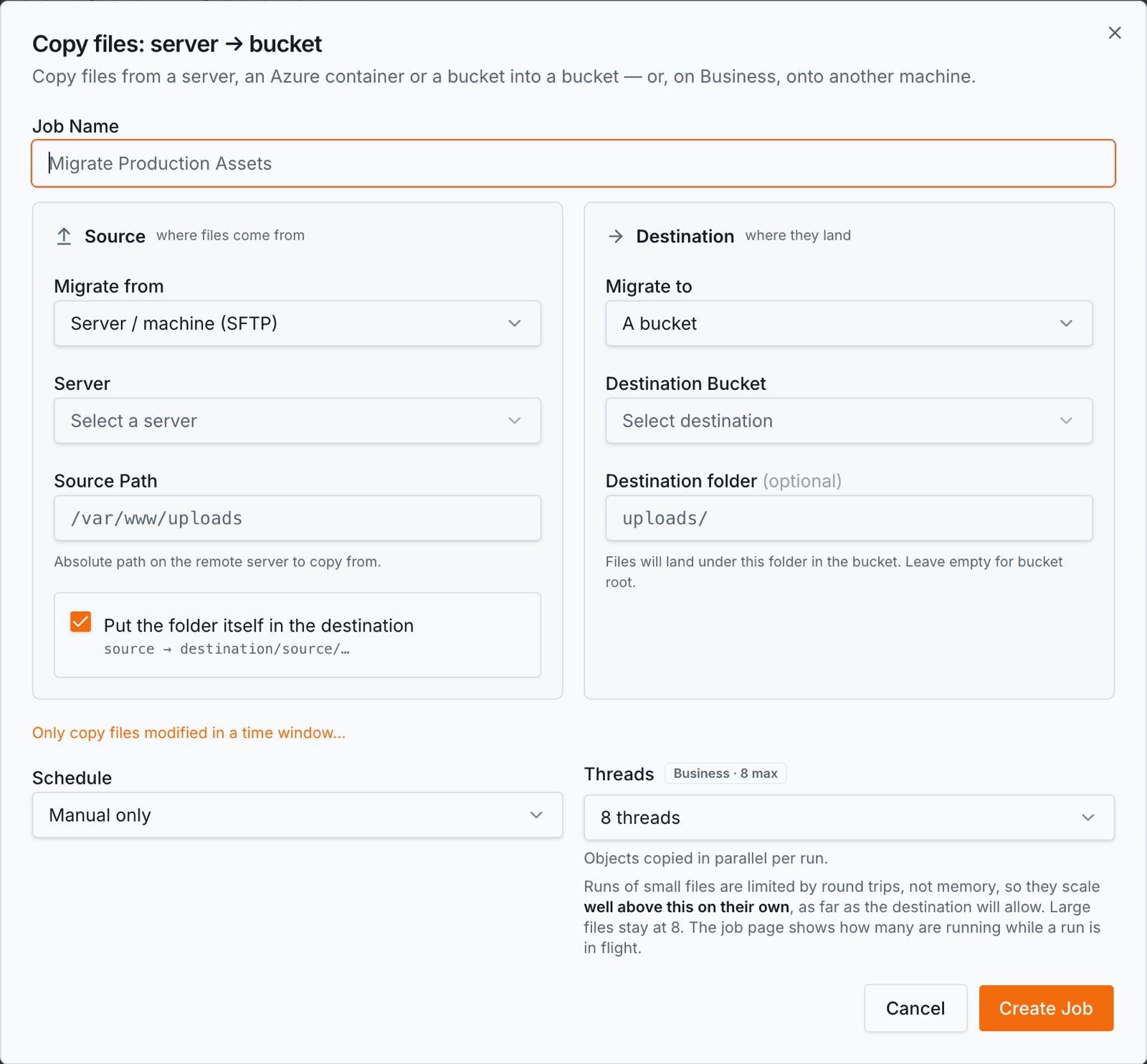
How the transfer runs
- 1.Add the host under Credentials → Servers with its address and credentials, and press Test Connection.
- 2.Connect the AWS account and choose the destination bucket and prefix.
- 3.Create a job with the remote directory as the source. The first run copies what is there.
- 4.Put it on a schedule — hourly, daily, weekly or monthly — so each run picks up what has arrived since the last.
- 5.Read the run log when something is missing: every file that failed is named, with the reason.
What an SFTP-only host changes
- •A host with no shell is walked the slow way. Where a server can run commands, BucketPilot lists the whole tree in one pass. An SFTP-only host cannot do that, so the tree is walked a directory at a time. It still works; it is simply the slower of the two walks, and worth knowing before you point it at a very deep tree.
- •A flaky link is expected, not exceptional. Transient failures retry with backoff, and a run whose worker dies is resumed rather than restarted from the top.
- •Connection limits are discovered, not assumed. Some hosts refuse beyond a small number of concurrent channels; the run finds what the host accepts and works within it.
- •Per-file logging is the point. With a third-party host, the question is always "did file X arrive" — so every file that failed is named, rather than counted.
- •Nothing is deleted from the host. If the far end clears its own directory on a schedule, run yours often enough that the two do not race.
What you get while it runs
- •Scheduled runs, so a drop directory is emptied into a bucket without anyone remembering to do it.
- •Incremental reruns — only what is new since the last pass is copied.
- •Retries and resume built for links that drop.
- •A log per file, which is the record you will be asked for.
- •Search over what landed, once the destination bucket is indexed, so "did we get the March invoices" is a query rather than a browse.
Access and what is kept
BucketPilot connects with the credentials you give it and nothing else; there is nothing to install on the far end. Every connection comes from 3.111.107.194, which is the address to allow if the host is behind a firewall.
Files stream from the host into your bucket and no copy of their contents is kept here. Adding and testing a host is not plan-gated; using it as a job source is Pro, which the trial includes. Full detail: Security & privacy.
When this is the right approach
- •A vendor or partner drops files on SFTP and you want them in a bucket, indexed and searchable.
- •An appliance writes exports to a directory you can read but not change.
- •You are consolidating several drop hosts into one bucket with a prefix each.
When it is not. If you control the machine, connect it as a server instead — a host that can run commands gets the faster walk and the incremental one. And if the far end deletes files shortly after writing them, no scheduled copy can promise to catch every one; the schedule has to be tighter than their retention, or the arrangement has to change.
Questions
- Do I need shell access on the host?
- No. An SFTP-only account works. A host that can run commands gets a faster tree walk, which matters on deep directories, but it is not a requirement.
- What happens when the connection drops mid-file?
- The transfer retries with backoff, and a run whose worker dies is resumed rather than restarted. Files that ultimately fail are named in the run log.
- Can I copy only files that arrived since the last run?
- Yes — that is what a rerun does. The first pass copies what is there; later passes carry only what is new or changed.
- Does BucketPilot delete files from the SFTP host?
- No. Nothing is removed from the source. If the host clears its own directory, schedule your runs more often than it does.
- The host refuses too many connections. Is that a problem?
- No. The run discovers how many concurrent channels the host accepts and stays within them, so a strict host slows the copy rather than breaking it.
- How do I prove a specific file arrived?
- The run log records it by name. Once the destination bucket is indexed you can also search for it directly, across every bucket in the workspace.
Go deeper
Migrate my SFTP host
Full Pro access for 14 days. No card. Connect an account in seconds.